

Resources /
User Manuals
Arya Integration Instructions
Arya Integration How-to-Guide
Within this guide you will find information about how to link your Arya and Alethea accounts and submit an eConsult.
How to Link Your Arya and Alethea Accounts & Submit an eConsult
Follow the steps below to access Alethea directly through Arya and begin submitting eConsults with pre-populated patient information.
Log into Arya EMR
- Access your Arya account using your usual login credentials
Navigate to Patients
- From the homepage, select “Patients”
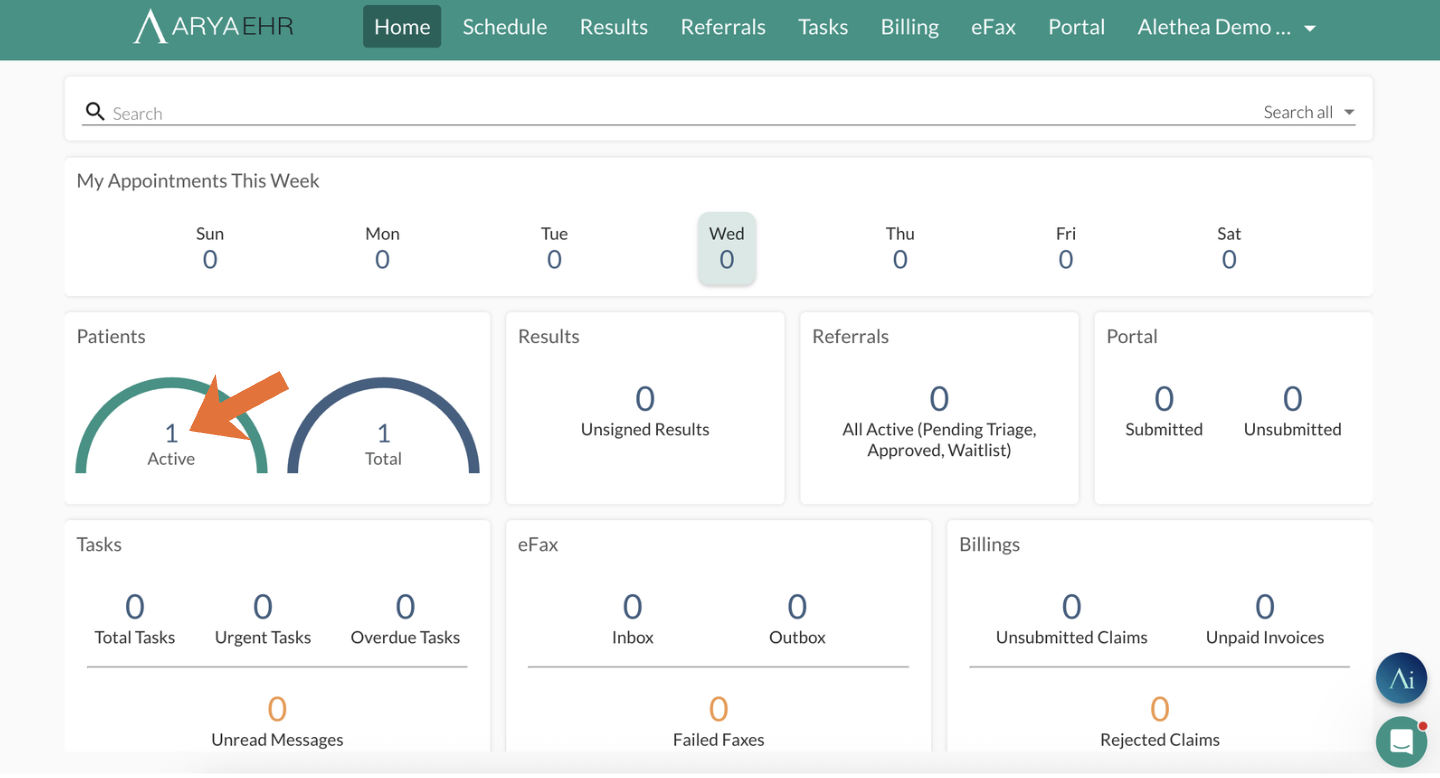
Select a Patient
- Search for and click on the patient you would like to submit an eConsult for

Open Referrals
- Within the patient chart, select the “Referrals” tab at the top of the page
Select eConsult
- Click “eConsult” to initiate a new consult request

Launch Alethea eConsult Form
- This will automatically open the Alethea eConsult form within your workflow
- Log-in to the portal

Choose a Specialist
- Select the provider or specialty you would like to send the consult to

Complete and Submit
- Patient demographics and relevant information will be automatically populated
- Add your clinical question, attachments, and any additional details
- Submit your eConsult


© Alethea 2024