Sending Service Referrals
Service Referrals How-to-Guides
Within this guide you will find information about how to send service referrals within Alethea using our Non-Insured Services Network.
Using the Non-Insured Services Network
Alethea’s Non-Insured Services Network provides direct access to a curated group of private and specialized care providers, supporting timely patient care when traditional referral pathways may be limited or delayed. The network is designed to enhance access, reduce administrative burden, and integrate seamlessly into your existing workflow.
Accessing Non-Insured Services
You can access and refer to services through multiple entry points within the Alethea platform:
Option 1: From the Alethea Home Page
- Log into the Alethea portal
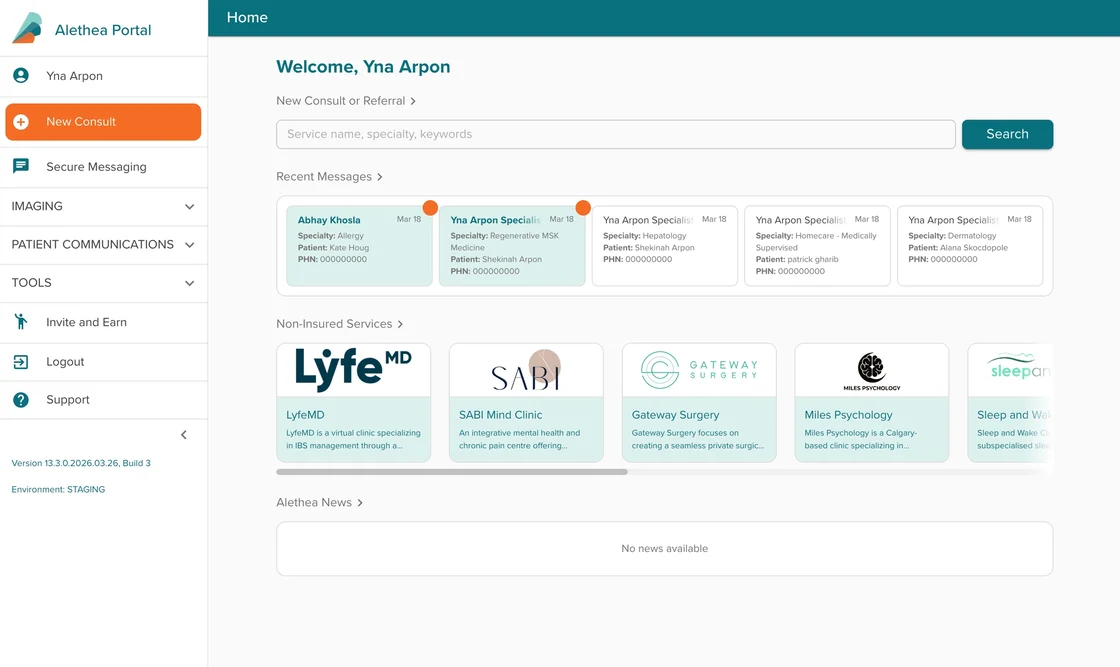
- Navigate to the Non-Insured Services section on the home page
- Browse available services or select a specific provider
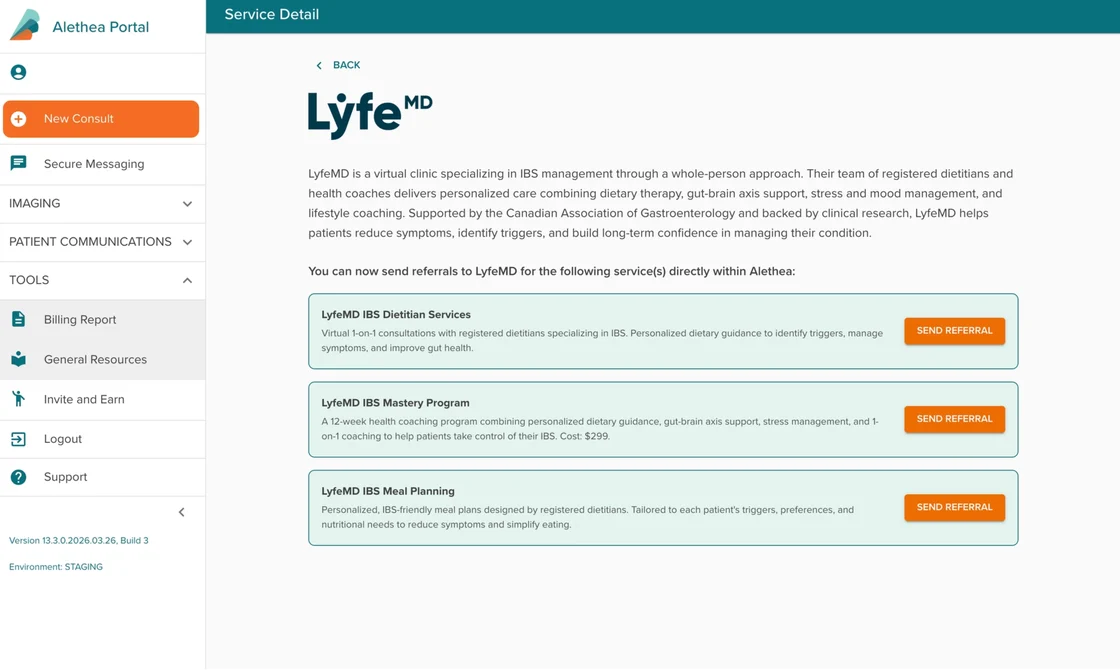
- Click into the service to view details
- Select “Send Referral” to complete and submit your referral
Option 2: From the General Resources Page
- Navigate to General Resources
- Select the Non-Insured Services section
- Browse the full list of services (organized alphabetically)
- Click on a service to view its detailed page
- Select “Send Referral” to initiate a referral

Option 3: Using the Search Bar
- From the home page, locate the search bar
- Type the name of the service provider or the type of service you are looking for
- Review the search results
- Select the appropriate service
- Click “Send Referral” to complete your referral
Each service includes a dedicated detail page with a description of offerings and clearly defined referral pathways, allowing you to make informed decisions at the point of care.